Autonomous maintenance is the part of Total Productive Maintenance (TPM) where operators take care of their own machines: clean, inspect, lubricate and tighten, every day. It begins with a step called initial cleaning, and with a simple tool: the tag.
What a tag is for
During initial cleaning, the team stops and safely isolates the machine, then cleans it thoroughly, by hand. The purpose is not a clean machine. Cleaning is inspection. When you wipe down every surface, you find the loose bolt, the seal that has started to leak, the cracked guard and the leak that has been there for years.
Each of those is an abnormality, and each gets a tag. The usual convention is two colours: white for problems the operators can put right themselves, and red for problems that need maintenance. The tag says what is wrong, where, and who found it.
A good first cleaning of one machine can produce dozens of tags. That is a success. It is also where most programmes begin to stall.
Why tagging stalls
Finding problems is easy. Closing them is the hard part.
- Paper tags fade, fall off or never reach maintenance.
- A tag is not a work order, so it sits outside the system that plans the work.
- Nobody can say how many tags are open, or how old the oldest is.
- A tag is marked "done" with nothing to show for it, and the same fault is tagged again a month later as if it were new.
Operators notice quickly. If the tags they write do not get fixed, they stop writing them, and the programme exists only on paper.
Five rules that keep tags alive
1. Every tag has an owner and a fix-by date. A tag without a name on it belongs to nobody.
2. Late tags move up the line without anyone having to ask. If a date passes, the tag should go up the line by itself, as far as it needs to. Safety tags come first.
3. No proof, no close. A tag closes with an after photo and a check, not with a signature.
4. Every machine keeps its history. When the same abnormality comes back, it should count as a repeat, not a new tag. A repeat is a reason to look for the real cause.
5. Show the numbers. Open, late and closed, by area and by team, where everyone can see them. A tag count is only worth showing if people trust it.
Start with one area
Do not launch across the plant. Pick one line and one team, and run it for a month. At the end, look at one figure before any other: of the tags raised, how many were really closed? That figure tells you whether the plant is ready to go wider.
What it gives you
Done well, tagging is some of the lowest-cost reliability work a plant can do. Small defects are caught before they grow into breakdowns. Operators see their reports acted on, so they keep reporting. And the plant builds a habit of care that shows on every shift.
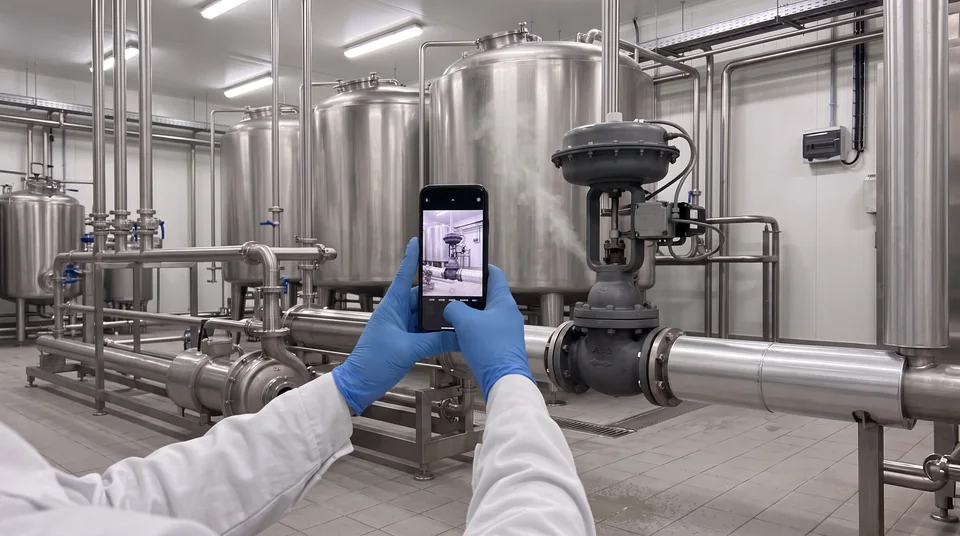
How EXLATECH helps: TAG IT turns one photo into a tag on the exact machine, sent to the person who fixes it, and closes it only with an after photo. For the wider programme, see TPM advisory. Book a demo.